


 MX
MX
 US
US


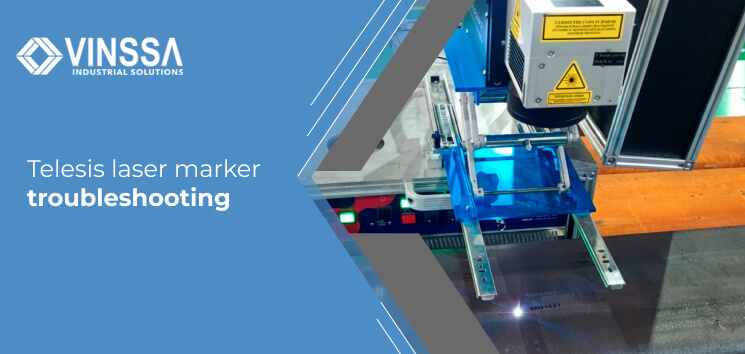
Telesis laser marker troubleshooting
Oct 22, 2025 By: José Juan Aguillón
Telesis offers complete permanent marking and traceability solutions, specializing in laser and microdot (dot peen) marking systems. A key feature is its patented Merlin software and iZONIT vision tool, designed to automate processes and reduce operator errors, ensuring superior accuracy and higher productivity. Telesis offers turnkey solutions and customer service in the aerospace, automotive, medical, and electronics industries.
This guide will help you solve the most common problems or challenges in TELESIS laser marking processes.
What are the most common troubleshooting issues for Telesis laser markers?
The most common problems in laser marking processes can be categorized into operator-induced errors, which directly affect quality and efficiency, and issues related to maintenance and performance.
Common operator-induced errors. These are among the most frequent challenges companies face in laser marking:
- Marking a part twice: This often leads to product rejection, and in some cases, reusing an incorrectly engraved serial number requires a lengthy rework procedure. Telesis' iZONIT vision software helps prevent this error by verifying whether an item has already been marked.
- Inaccurate alignment: Incorrect positioning of the material within the marking area, causes the laser to engrave in the wrong location, frequently resulting in wasted parts.
Other common problems include:
- Reduced marking intensity and clarity
- Dirty lens or contaminated optics.
- Optical system misalignment
- Aged laser components
- Laser emission and operation failures
- No laser emission (no beam output)
- Partial or faded marks due to beam obstruction
- Inconsistent engraving depth
- Mechanical and thermal problems
- Overheating or system shutdowns caused by residue buildup
- Blurred edges due to machine misalignment or loose components
- Thermal instability linked to inadequate cooler performance
- Loose mechanical parts or unstable laser connections
What are the key steps for troubleshooting a Telesis laser marker?
Troubleshooting a Telesis laser marker involves three main areas: operator error prevention (using advanced software), preventive maintenance, and calibration of key components such as optics and vision systems.
- Human error is one of the most common causes of marking issues, and automation is the most effective way to minimize it, using Telesis iZONIT vision software allows operators to automatically detect and align the part before marking, verify whether a part has already been marked and confirm the correct marking location and orientation. These functions help prevent double marking, misalignment, and wasted parts
- Regular system maintenance is essential to prevent overheating, hardware malfunctions, and optical contamination. Recommended actions include: verifying system integrity and checking for loose connections, cleaning debris and residue, ensuring proper ventilation and airflow, protecting optical components and following the proper shutdown and startup sequences.
- Calibration of key components: To troubleshoot accuracy and alignment issues, we must confirm that software settings match system specifications, run test patterns to measure scale, orthogonality, and distortion, adjust and save the update configuration and back up calibration data and parameter files.
What resources are available to assist in troubleshooting Telesis laser markers?
A wide range of resources, tools, and support services are available:
- Technical Support: Remote assistance and direct communication with the local VINSSA team
- Service Engineers: Team of certified engineers provides expert support for equipment installation, software setup, and technology implementation.
- Maintenance Programs: Comprehensive preventive, predictive, and corrective maintenance programs designed to ensure optimal system performance..
- Digital Resources: Extensive online documentation, including manuals, guides, instructions, and video tutorials..
- Applications Lab: Applications and samples testing lab staffed by specialists who determine the best technology and solution
What practices are recommended to prevent troubleshooting Telesis laser markers?
Best practices for preventing issues with Telesis laser markers, focus on automation, regular maintenance, and strict adherence to operating procedures. These practices address both equipment performance and operator-induced errors to ensure reliable and consistent marking results.
Preventing operational errors with automation and software practices.
1- Rely on advanced detection tools:
- iZONIT® vision software helps operators determine and visualize the correct marking position of each part, verify and validate 2D codes, and prevent inaccurate alignment or duplicate marking.
- Merlin® Software automates laser marking operations reducing operator dependency,, increasing production speed and improving accuracy.
- Advanced Automation (Robotics and Vari-Z™): For high-production environments, robotic integration is recommended to ensure high consistency and repeatability. For irregular parts, using Vari-Z or AutoFocus technology eliminates manual setup and minimizes marking errors..
2- Maintenance practices:
Proper and routine maintenance is essential to keep the laser marker in optimal condition, prevent overheating of component failures, and extend equipment lifespan.
At VINSSA , we go beyond equipment supply, we integrate TELESIS marking technology with automated systems such as robots, PLCs, sensors, and industrial vision systems, providing customized solutions that enhance traceability , ensure precise and durable part identification, and optimize automation and productivity across your production processes.
Contact us if you'd like to learn more about our solutions for your industry.
 844 797 5478
 sales@vinssa.com
Or we invite you to write us a message
Contact us


